Inference parameters
Paddler allows you to customize inference parameters that control how the model behaves during inference. You can adjust these parameters in the web admin panel or through the API.
Available parameters
batch_n_tokens
The number of tokens processed in parallel during prompt evaluation. Higher = more memory usage, lower = less inference speed. Adjust if you're running into memory limits or want to optimize throughput on capable hardware
context_size
Maximum tokens in the context window. Higher = longer chat history, lower = less memory usage. Increase for longer conversations, decrease if you're memory-constrained.
embedding_n_seq_max
Maximum number of simultaneous sequences per embedding batch. Increase for more embedding throughput on capable hardware. Only relevant when enable_embeddings is enabled.
image_resize_to_fit
Maximum image dimension in pixels for multimodal inference. Paddler scales down larger images internally before encoding them for the model, preserving the aspect ratio. Decrease to reduce memory usage and speed up processing. Only relevant when using vision-language models.
min_p
Minimum token probability to consider for selection. Increase if the model produces nonsensical tokens. Decrease if responses feel too constrained.
penalty_frequency
Penalizes tokens proportionally to how often they appeared. Increase if the model repeats the same words too often.
penalty_last_n
How many recent tokens to consider when applying repetition penalties. Use -1 for entire context, 0 to disable penalties entirely.
penalty_presence
Penalizes tokens that appeared at all, regardless of frequency. Increase if you want the model to explore new topics instead of dwelling on what it already mentioned.
penalty_repeat
Penalizes repeated tokens. Increase if the model repeats itself. Set to 1 to disable.
temperature
Controls output randomness. Decrease for more predictable, focused responses. Increase for more creative, varied output.
top_k
Limits selection to the K most likely tokens. Decrease for more predictable output. Increase to give the model more token choices.
top_p
Limits selection to tokens whose cumulative probability reaches this threshold. Decrease for more focused responses. Increase to give the model more token choices.
Setting parameters in the web admin panel
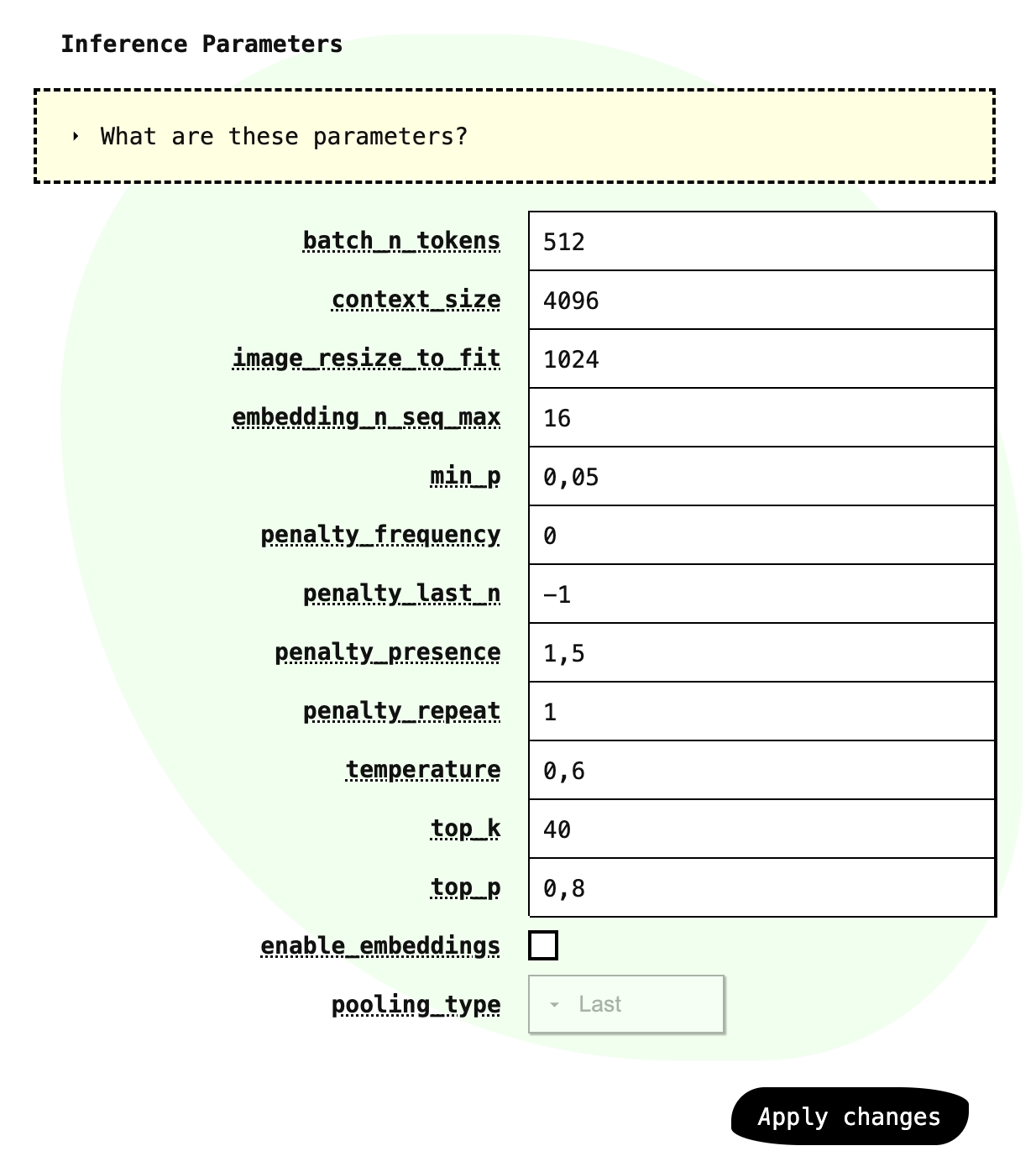
You can customize inference parameters in the "Model" section of the web admin panel. Below the chat template settings, you will see each parameter's name and an editable input next to it. Adjust them as needed and click "Apply changes" to save.
Setting parameters through API
To set inference parameters through the API, adjust them in the PUT request to change the balancer's desired state. Here is an example payload:
Finding the right values
The default parameters provide a reasonable starting point, but experimenting with different values is worth the effort. The optimal settings depend on your specific model and use case.
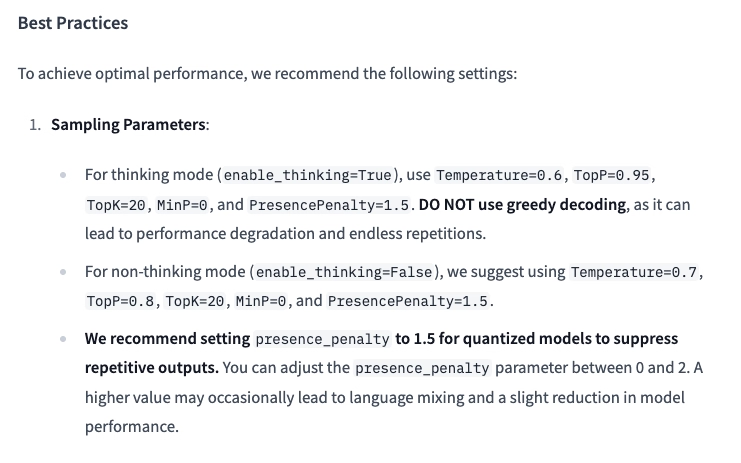
Additionally, notice that the models' authors often provide the specific values. For example, the Qwen3-0.6B-GGUF model's card on Hugging Face includes a section with recommended inference parameters. When loading a new model, it is worth checking the model card for any such recommendations.