Using multimodal models
Paddler supports vision-language models, allowing you to include images alongside text in your conversations. This is useful for tasks like image description or reasoning about image content.
To use multimodal capabilities, you need a model that supports vision and its corresponding multimodal projection file.
Currently, Paddler supports images as the multimodal input. Audio and video are not yet supported.
Setting up a multimodal model
Using the web admin panel
In the "Model" section, you will see the "Multimodal Projection URI" field below the main (so-called "base") model URI field. Provide the projection file relevant to the base model in the same way as the base model: either as a link to Hugging Face or a local file path.
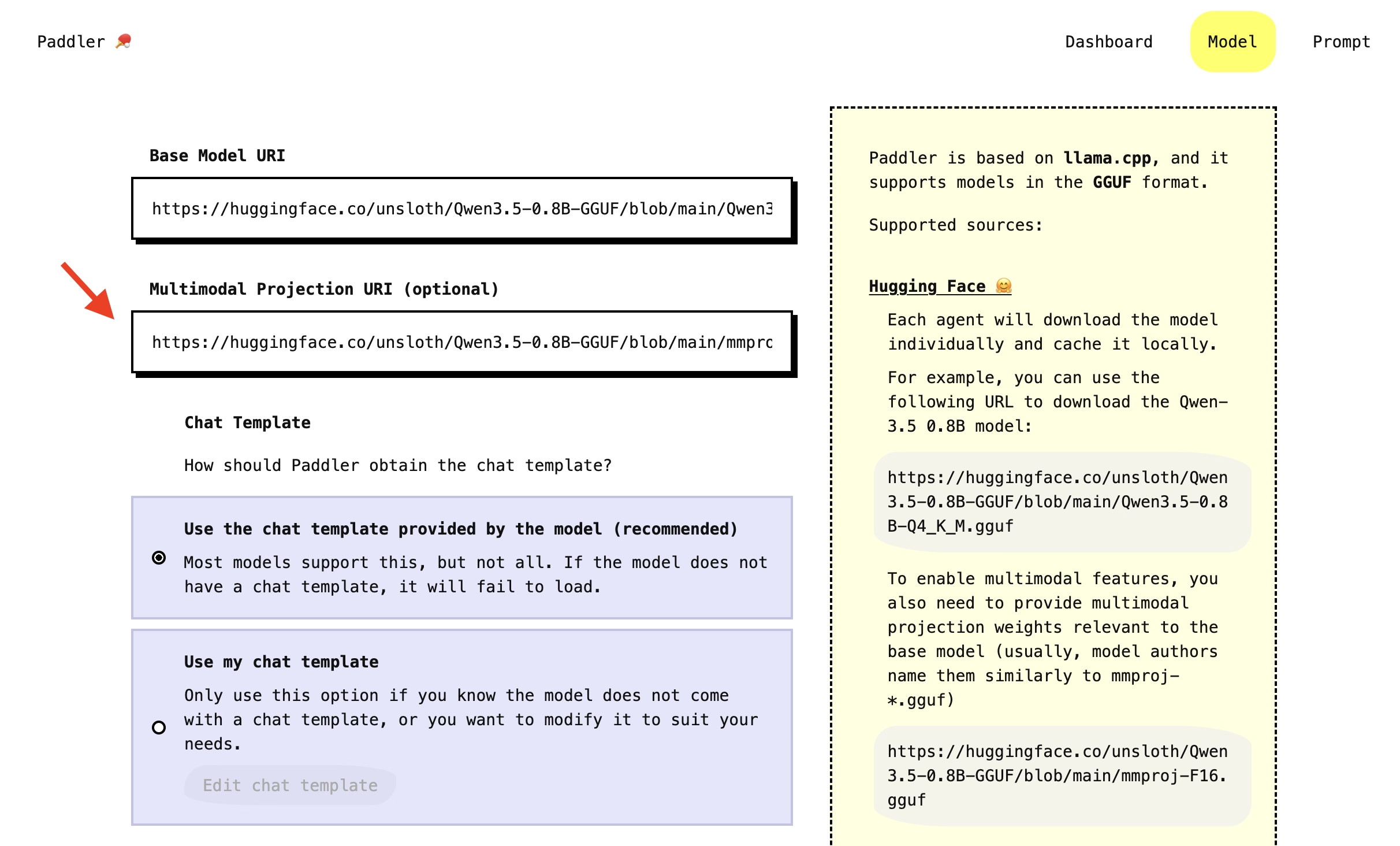
Model authors usually name the projection files similarly to "mmproj-*.gguf" and place them under the base model files.
Click "Apply changes" to load the model. Once it is ready, the agents will start processing images.
The "Multimodal Projection URI" field is optional. If you don't want to use it, leave the field empty and only provide the base model.
Using the API
To enable the multimodal functionality through the API, specify the desired mmproj file in the multimodal_projection field in the PUT request to change the balancer's desired state, for example:
Payload
Sending images in conversations
Images must be sent as base64-encoded data URIs. Paddler does not support fetching remote URLs, so images must be embedded directly in the requests.
Using the web admin panel
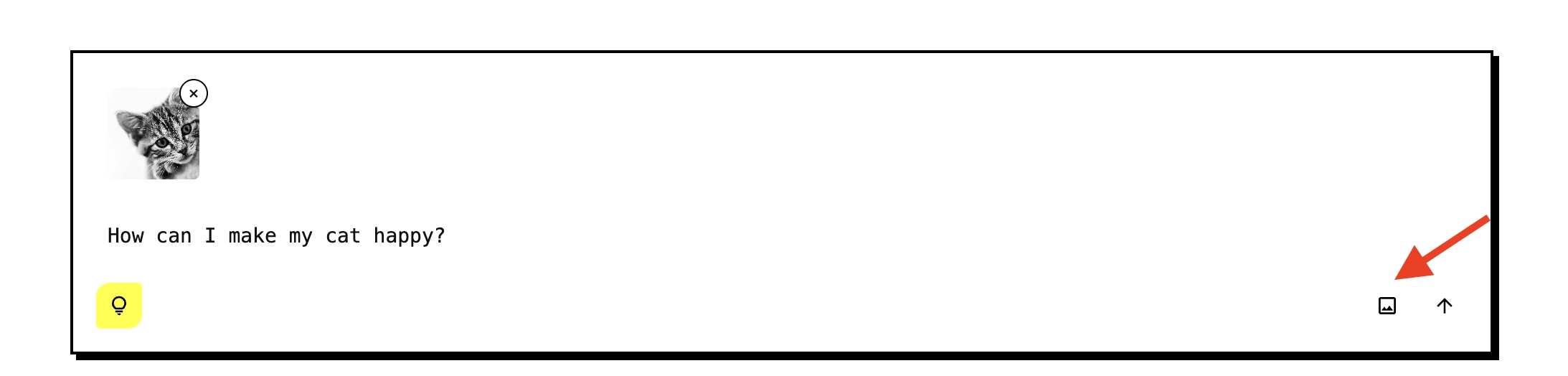
In the "Prompt" section, you can upload images as attachments to the user prompts. Click the "image" icon in the message input to attach an image from your device. The image will be sent alongside your text message:
Using the API
To send an image through the Continue from conversation history endpoint, pass the message content as an array of text and image entries:
The content field accepts either a plain string for text-only messages or an array for messages with images. Each entry in the array is either a text or an image_url with a base64 data URI.
Important considerations
Supported image formats
Paddler supports the following image formats:
JPEG
PNG
GIF
BMP
WebP
SVG
Image resizing
Models are typically trained on specific resolutions, and encoding large images can significantly slow down inference. For this reason, Paddler provides the image_resize_to_fit field to limit the maximum image dimension in pixels. Paddler scales down larger images internally before encoding them for the model, preserving the aspect ratio. Images smaller than this value are left unchanged. The default is 1024.
Troubleshooting
If you send images to a model that does not have a multimodal projection file loaded, the request will return a
MultimodalNotSupportederror.If the image cannot be decoded (unsupported format, corrupted data), the request will return an
ImageDecodingFailederror.